The Complete WordPress Setup Guide (2026 Edition)
€49
A PROFFESIONAL WEBSITE BUILDING HANDBOOK
Stop feeling lost when building your WordPress website. This comprehensive 22-page handbook explains everything in plain English, from domain setup to launch day. No technical jargon, just clear step-by-step guidance that actually makes sense.
We stand behind our work.
If a Pi Webkits guide doesn’t help you move forward with clarity, contact us within 14 days and we’ll refund your purchase.
What happens after purchase:
✓ Instant PDF download
✓ Access to the current version anytime
✓ Free updates as the guide evolves
🔒 Secure checkout 💳 Card or PayPal ⚡ Instant delivery
Finally, a WordPress guide that doesn’t assume you’re a developer.
If you’ve ever felt overwhelmed, confused, or frustrated while building a WordPress website, this guide is for you.
(real structure, not marketing pages)
What makes this different from free YouTube tutorials?
Instead of scattered information across dozens of videos, you get everything organized in one professional reference document. No more pausing videos, rewinding, or trying to remember what that person said 10 minutes ago.
YOUTUBE TUTORIALS
Fragmented information
Often outdated
Varying quality and accuracy
Missing critical steps
Time-consuming to follow
Entertainment-focused
Assumes prior knowledge
No clear checklist
No long-term reference
THIS GUIDE
One complete, structured system
Written and reviewed for 2026+
Consistent professional standard
Covers the full setup, start to finish
Designed for fast reference
Outcome-focused
Explained in plain English
Clear steps and checkpoints
Reusable whenever needed
What’s included (22 structured pages):
Domain & Hosting Setup: Choose the right foundation (and avoid expensive mistakes)
Security Essentials: Protect your site from day one
WordPress Core Settings: Set it up right the first time
Design & Responsive Layout: Make it look professional on every device
Image Optimization: Fast loading without compromising quality
Content Strategy: Write content that actually converts
Legal Pages: Stay compliant (Privacy Policy, Terms, GDPR)
Performance & Speed: Recommended plugins and exact settings
SEO Basics: Get found on Google
Pre-Launch Checklist: Don’t go live until you’ve checked these
Maintenance Schedule: Keep your site healthy long-term
Each section includes:
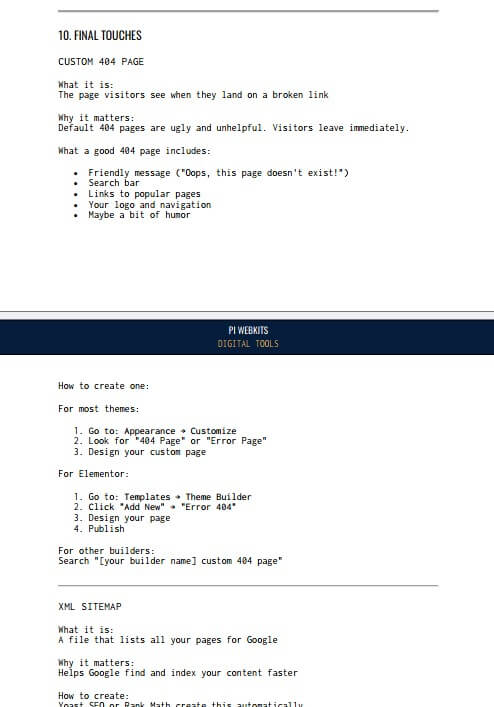
- What it is
- Why it matters
- Where to find it in WordPress
- How to do it right (step-by-step)
You’ll follow a clear setup sequence:
- Where to set SSL certificates (and why you need them)
- How to set up email that actually works (SMTP explained simply)
- What plugins to use (and which ones to avoid)
- How to make your site mobile-friendly with specific examples
- Security settings that take 10 minutes but protect you for years
- The exact checklist professionals use before launching
Who is this for?
- Small business owners building their first website
- Entrepreneurs who want to understand what they’re paying developers for
- Freelancers who need a reliable reference guide
- Anyone who’s tired of feeling confused by technical tutorials
Who is this NOT for?
- Experienced WordPress developers (you probably know this already)
- People looking for theme-specific tutorials
- Those wanting to learn advanced coding
What you get:
- 22-page professional PDF guide
- Instant download after purchase
- Quick reference table for easy lookups
The investment: Instead of spending hours searching for answers or making costly mistakes, get everything you need in one organized document.
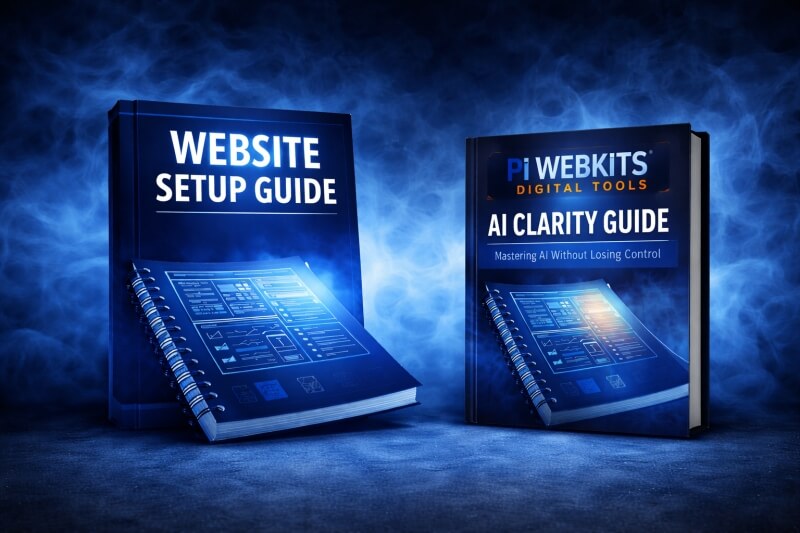
The Complete WordPress Setup Guide (2026 Edition)
€49
🔒 Secure checkout 💳 Card or PayPal ⚡ Instant delivery
Frequently asked questions - FAQ
What is the PI Webkits professional WordPress website setup guide?
PI Webkits is a structure-first WordPress setup system.
It shows the correct order for planning, structuring, and launching a professional website, based on real project experience, not tutorials or trends.
Which website guides are available from PI Webkits?
PI Webkits currently offers:
- a complete professional WordPress website setup guide
- a clarity-based system for using AI as an assistant, not an authority
- Each guide focuses on order, structure, and long-term control.
How do I get started with PI Webkits digital systems?
You start by choosing the guide that matches your current stage.
Each guide is delivered digitally and can be followed immediately, without tools, plugins, or subscriptions.
What makes PI Webkits different from agencies or freelancers?
Agencies and freelancers build websites for you.
PI Webkits teaches you the system behind professional builds, so you understand the structure, sequence, and decisions before anything is implemented.
Who are PI Webkits guides for (and who are they not for)?
PI Webkits is for people who want to build things properly and understand what they are doing.
It is not for people looking for shortcuts, templates, or one-click solutions.
Do I need technical skills to use PI Webkits guides?
No.
The guides focus on thinking, structure, and order, not coding or advanced technical tasks.
Is PI Webkits better than YouTube tutorials or free guides?
PI Webkits replaces scattered tutorials with one clear system.
Instead of learning isolated tips, you learn the correct sequence that professionals follow.
Can PI Webkits help me avoid rebuilding my website later?
Yes.
Most rebuilds happen because structure and planning were skipped.
PI Webkits is designed to prevent that mistake.
Is PI Webkits suitable for freelancers and online business owners?
Yes.
It is especially useful for freelancers, consultants, and online business owners who want clarity and control before investing time or money.
Does PI Webkits replace hiring an agency or developer?
No.
PI Webkits helps you work smarter with developers or agencies by knowing what must be decided first and what questions to ask.